API access policy
You want to: decide what scripts and AI agents may do with users' API keys, and see every key in one place.
A key never does more than its owner may do. On top of that, the admin decides how much of a user's permissions their keys may use.
Per role
Admin → Roles → API access (a column in the list, and a line above Role Permissions):
| Mode | A key may use this role's grants |
|---|---|
| Off | not at all |
| Safe read-only (default, also for roles from before 2.22) | list, get, logs; no ConfigMaps or Secrets, no exec, edit, scale or restart |
| All of the role's permissions | every grant of the role |
Several roles add up after each one's mode: role A (ns1, all permissions) + role B (ns2, safe read-only) lets a
key exec in ns1 and only read in ns2.
Per user
Admin → Users → Edit → API access overrides the roles: By roles (default), Off, Safe read-only, or
All of their permissions (never more than the user has on the web). The dialog previews what the user's keys may
reach (prod-eu/shop: read-only · staging/shop: read-only), counts their active keys and has Revoke all their keys. The Users list filters by API access (API access: any,
By roles, …).
Admins hold everything, so their roles don't apply: an admin's keys follow only the override. An Admin API key
(the box when an admin creates a key) reaches /api/admin/*; with the override Off or Safe read-only that box
can't be ticked and existing Admin API keys lose admin access. An Admin API key also stops reaching /api/admin/* as
soon as its owner is no longer an admin.
What a policy change does
It never edits a key. A permission the policy takes away stops working (403, reason api_access_policy) and works
again when the policy allows it; the user's key list shows "N permissions not valid now". When the policy leaves a
user's keys nothing, every call with them answers 403 api_access_off, audited as api_key.use denied.
Editing a key keeps its cells outside the policy, struck through: the user can remove them, not add them. A ticked Admin API box stays the same way; once unticked, it can't be ticked again.
Expiry policy
Admin → Session → API key expiry: the longest lifetime in days (empty = no limit) and Allow keys that never expire. The form caps the date at the limit, hides presets beyond it and hides No expiry when it isn't allowed; the server checks create and regenerate too (400). Lowering the limit doesn't touch existing keys, so agents aren't cut off without notice; find them under Admin → API keys → Outside the expiry policy.
Every user's keys
Admin → API keys:
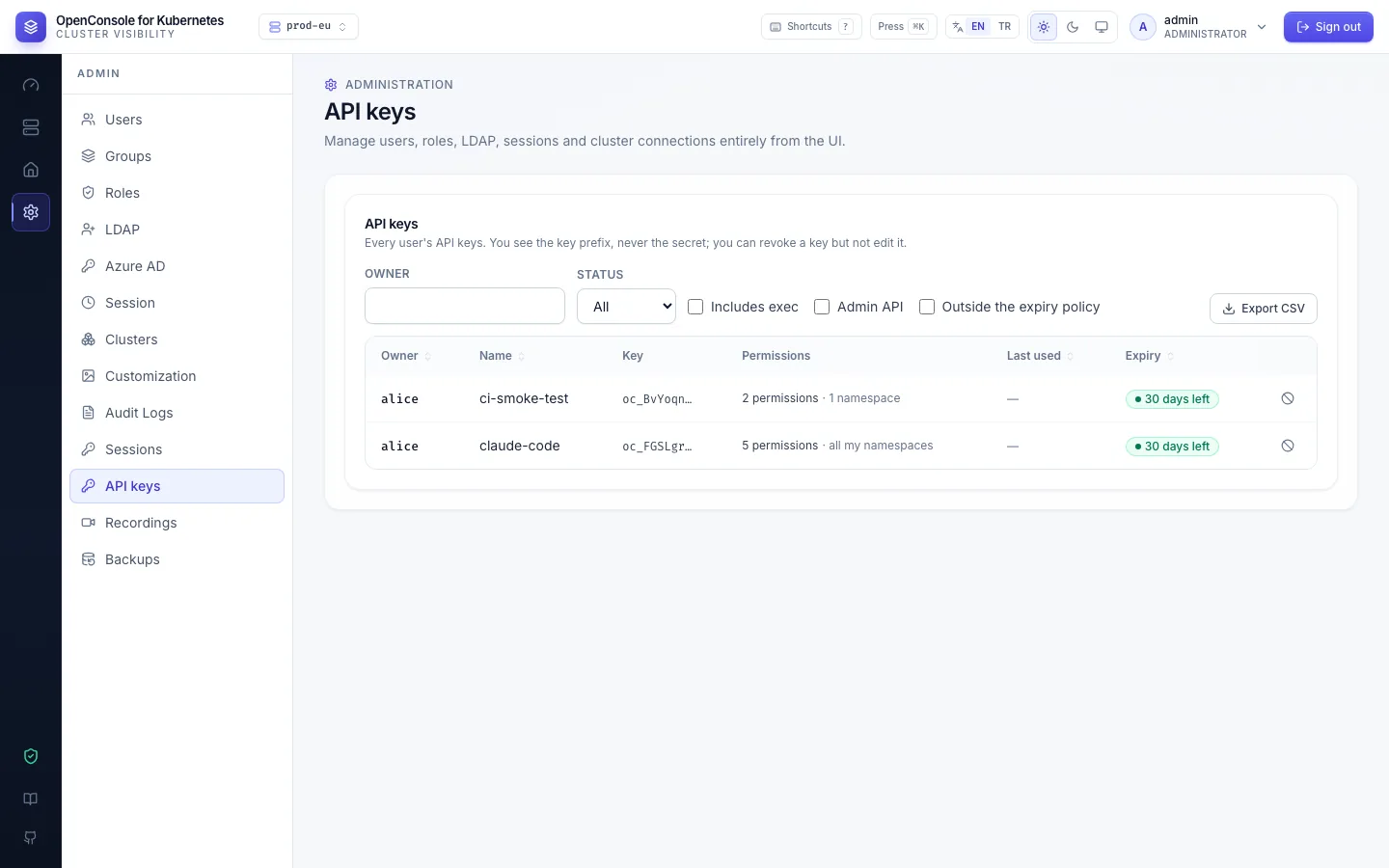
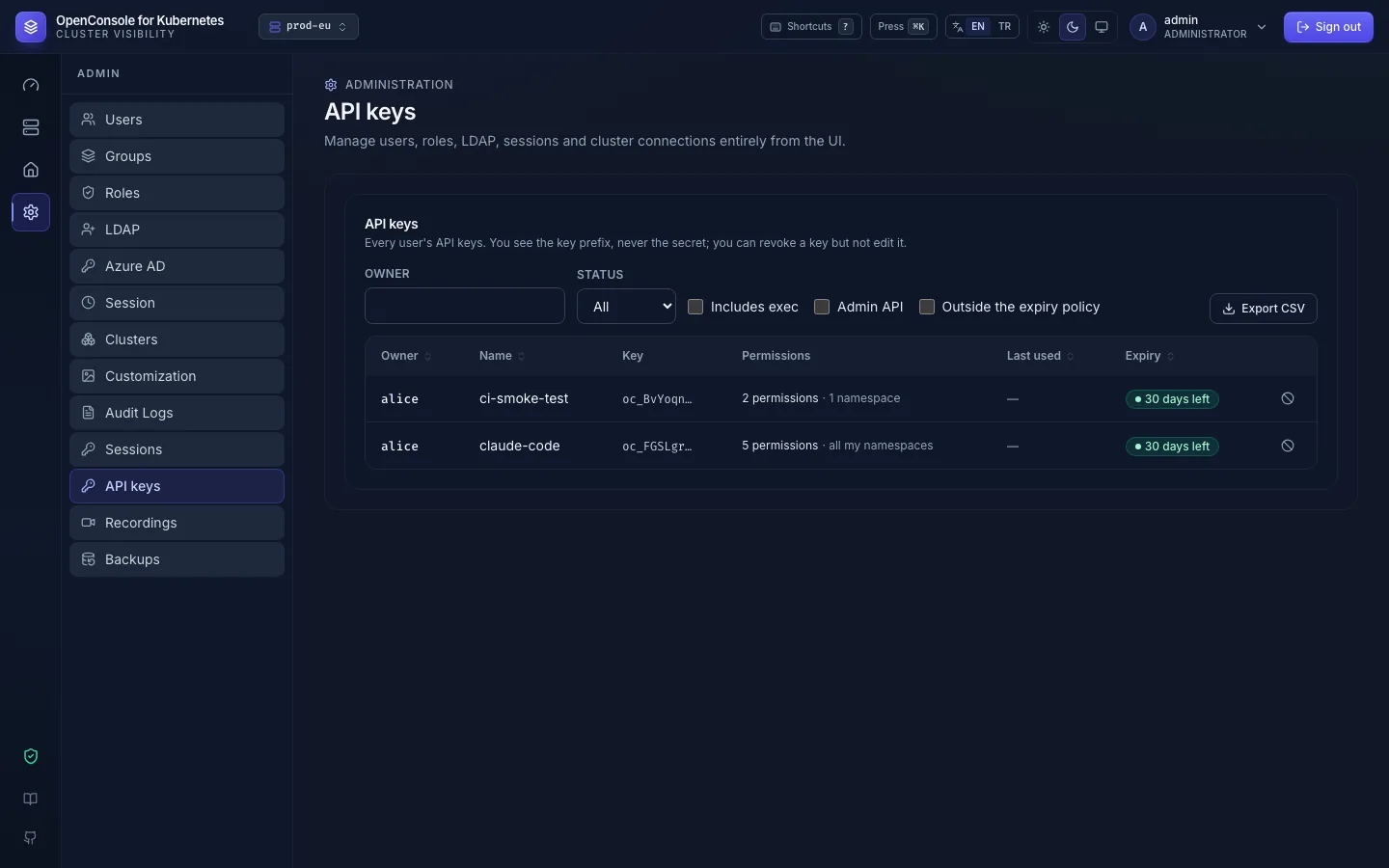
Owner, name, prefix (never the secret), permissions, last use and address, expiry and status. Filter by owner, status,
Includes exec, Admin API, Outside the expiry policy. Revoke with an optional reason (audited as
api_key.revoke with by_admin, owner, comment); Export CSV. An admin can't edit someone else's key. These
screens work with a web session only, never with a key.
Turn API keys off for everyone with FEATURE_API_KEYS=false: the page disappears and every key gets 401.