LDAP / Active Directory
You want to: let people sign in with their directory account.
LDAP works next to local accounts. By default a person must have an OpenConsole account before they can sign in, so you import them; or you let OpenConsole create the account on their first sign-in.
1. Configure
Admin → LDAP (the values below are examples):
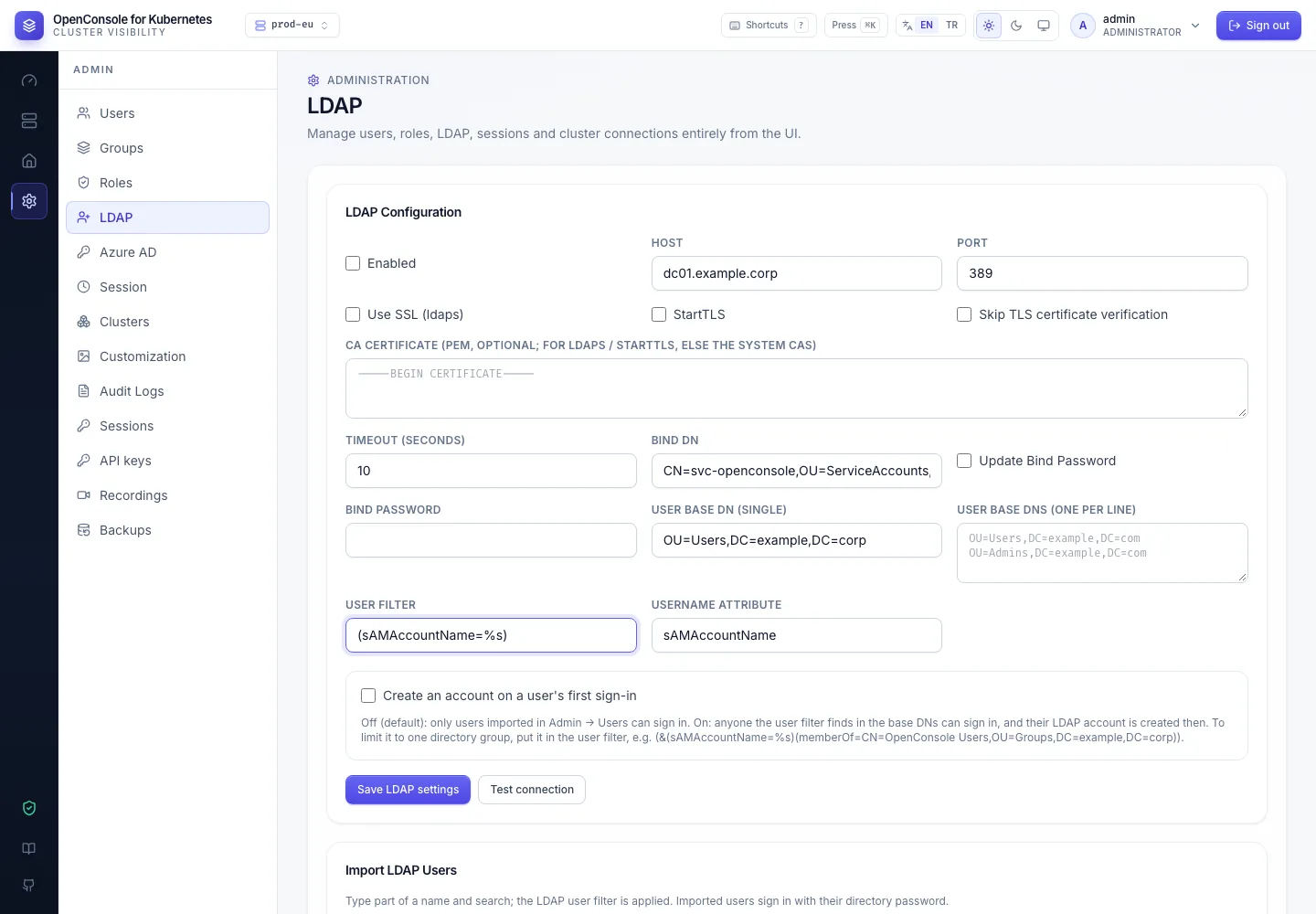
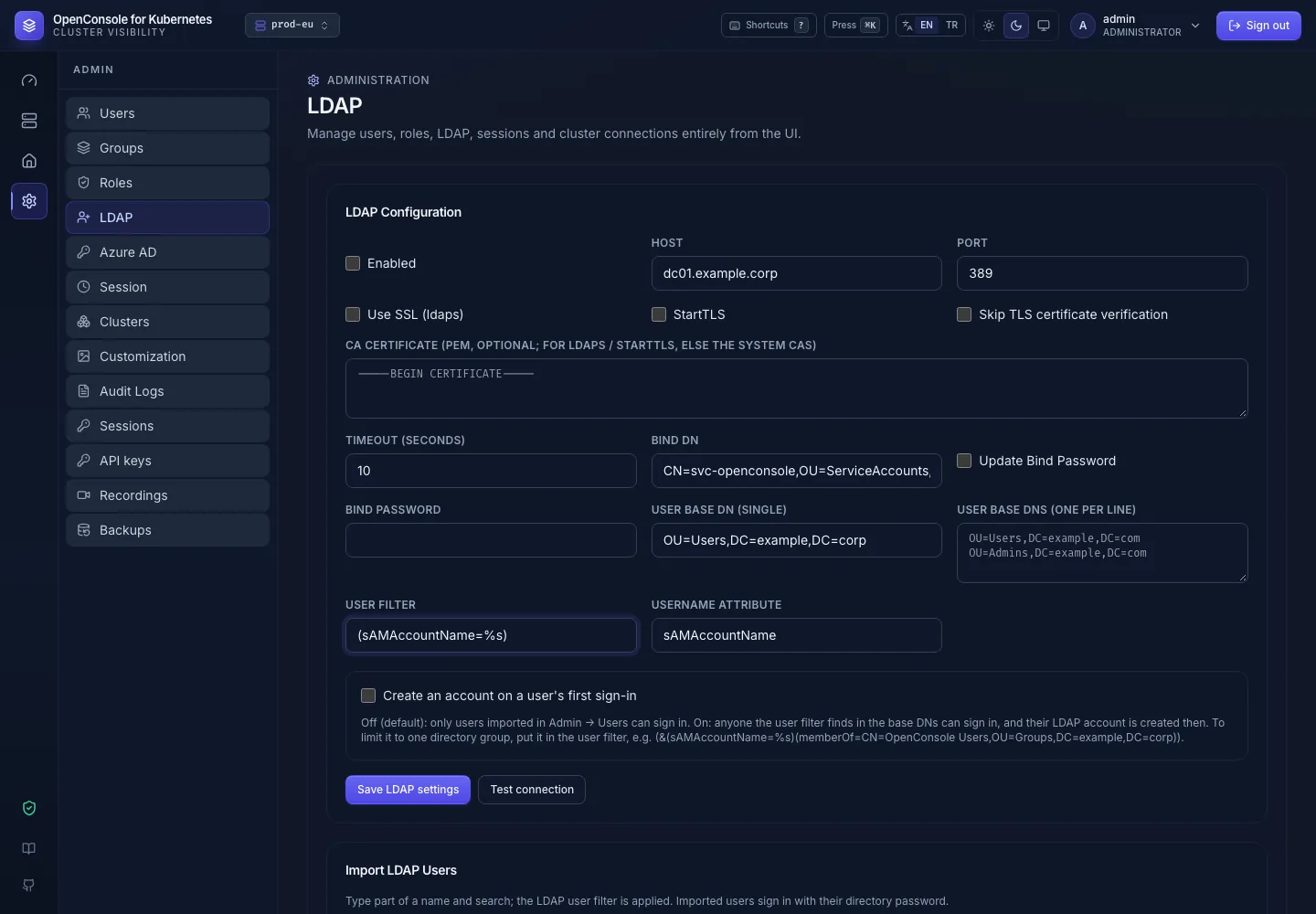
| Field | Meaning |
|---|---|
| Enabled | turns LDAP sign-in on or off at once |
| Host + Port, or URL | dc01.example.corp and 389, or ldaps://dc01.example.corp:636 |
| Use SSL (ldaps) | TLS from the start (port 636) |
| StartTLS | upgrade a plain connection on 389 to TLS |
| Skip TLS certificate verification | testing only |
| CA certificate (PEM) | your own CA, when the directory's certificate isn't signed by a public one (see the note below) |
| Timeout | seconds per LDAP operation (default 10) |
| Bind DN / Bind password | the service account that searches the directory, e.g. CN=svc-openconsole,OU=ServiceAccounts,DC=example,DC=corp. The password is stored encrypted; tick Update Bind Password only when you change it |
| User base DN (single) | where people are searched, e.g. OU=Users,DC=example,DC=corp |
| User base DNs (one per line) | more places to search, one full DN per line, e.g. OU=Users,DC=example,DC=corp and OU=Contractors,DC=example,DC=corp on two lines. Up to 2.23.0 this field was split at commas; a value saved then is read back as one DN, so check it after the upgrade |
| User filter | %s is what the person typed. Active Directory (sAMAccountName=%s), OpenLDAP (uid=%s) |
| Username attribute | the attribute that becomes the OpenConsole username: sAMAccountName or uid |
An example Active Directory setup (fictitious values):
| Field | Value |
|---|---|
| Host + Port | 10.10.20.15 and 389 |
| Bind DN | CN=svc-openconsole,OU=ServiceAccounts,OU=IT,DC=example,DC=corp |
| User base DN | OU=Engineering,OU=Users,DC=example,DC=corp |
| User filter | (sAMAccountName=%s) |
| Username attribute | sAMAccountName |
Save LDAP settings, then Test connection: it binds with the service account and searches each base DN. If saving fails, the screen says why (for example a CA certificate that isn't PEM).
With Use SSL (ldaps) or StartTLS the directory's certificate is checked: it must be valid for the host name
(or IP address) in Host / URL and signed by a CA OpenConsole trusts, the public ones of the image or the one in
CA certificate (PEM). Paste your CA there (-----BEGIN CERTIFICATE----- …; several certificates may follow each
other). A pasted text that holds no certificate is refused when you save. Up to 2.23.0, StartTLS only connected with
Skip TLS certificate verification ticked and there was no CA field.
2. Import people (or create them on first sign-in)
Import: Admin → Users → New user → Import from LDAP… (or below the settings on Admin → LDAP). Type part of a
name and search: the user filter runs with %s replaced by what you typed, up to 100 results per base DN. For prefix
search use (sAMAccountName=%s*) as the filter. Pick the people and the groups they join, and import. Existing
accounts are listed apart and skipped. Each import is audited (user.import).
On first sign-in (off by default): tick Create an account on a user's first sign-in, pick the groups for new accounts, save. Then:
- anyone the user filter finds who signs in with a valid directory password gets an account at once, in those groups,
under the name the directory uses (typing
Johnsigns in tojohn); - an unknown user with a wrong password is rejected; nothing is created;
- new accounts are never admins (
user.createwithauto_provisioned: true); - to lock someone out, disable the account: a deleted one is simply created again at their next sign-in.
3. Limit who may sign in
Put the condition in the user filter. Only members of one directory group:
(&(sAMAccountName=%s)(memberOf=CN=OpenConsole Users,OU=Groups,DC=example,DC=corp))
Directory groups are not mapped to OpenConsole groups; membership in OpenConsole groups is set at import, by the first-sign-in groups, or by an admin.
Signing in
People type their directory username and password in the normal form. OpenConsole finds their DN with the user filter
and binds as them, so the directory checks the password every time; a disabled or expired directory account can't
sign in. A wildcard filter is safe: at sign-in OpenConsole also requires an exact match on the username attribute,
so jo never signs in as john. Turning Enabled off stops every LDAP sign-in at once.
Only an account whose source is LDAP (imported, or created on first sign-in) signs in with the directory. A
local account never does, even if the directory has someone with the same name, so a directory entry can't take
over a local account (the built-in admin included). Up to 2.23.0 a local account whose password didn't match fell
back to the directory and was switched to LDAP; people imported before 2.13 who still show source Local in Admin →
Users must be deleted and imported again.
When it doesn't work
| Symptom | Usually |
|---|---|
| Test: connection refused / timeout | host or port wrong, or a firewall between the OpenConsole pod and the directory |
Test: x509: certificate signed by unknown authority | the certificate comes from your own CA: paste it into CA certificate (PEM) |
Test: x509: certificate is valid for …, not … | Host / URL isn't a name on the certificate: use the name the certificate was issued for |
Test: Invalid Credentials (49) | bind DN or bind password wrong (an AD bind DN is the full CN=…, or user@domain) |
| Test works, a person can't sign in | the user filter doesn't find them under the base DNs, or the username attribute differs from what they type; or (without first-sign-in) they were never imported |
| Signed in, sees nothing | they are in no OpenConsole group with a role |
The failed user.login event in the audit log has the reason (login_method: ldap); the pod log line
ldap sign-in failed has the directory's message (Sign-in fails).