Pod health
You want to: know why a pod is not running or keeps restarting.
Why is my pod restarting?
-
Look at the status. The Pods tab shows the STATUS
kubectl get podsprints, worked out the same way (init containers, Terminating, Unschedulable included). Red means crashing or unable to start (CrashLoopBackOff,OOMKilled,ImagePullBackOff,Init:Error,Error), amber means waiting or not ready, green ready, grey completed. Hover a red or amber status for its latest Warning events. -
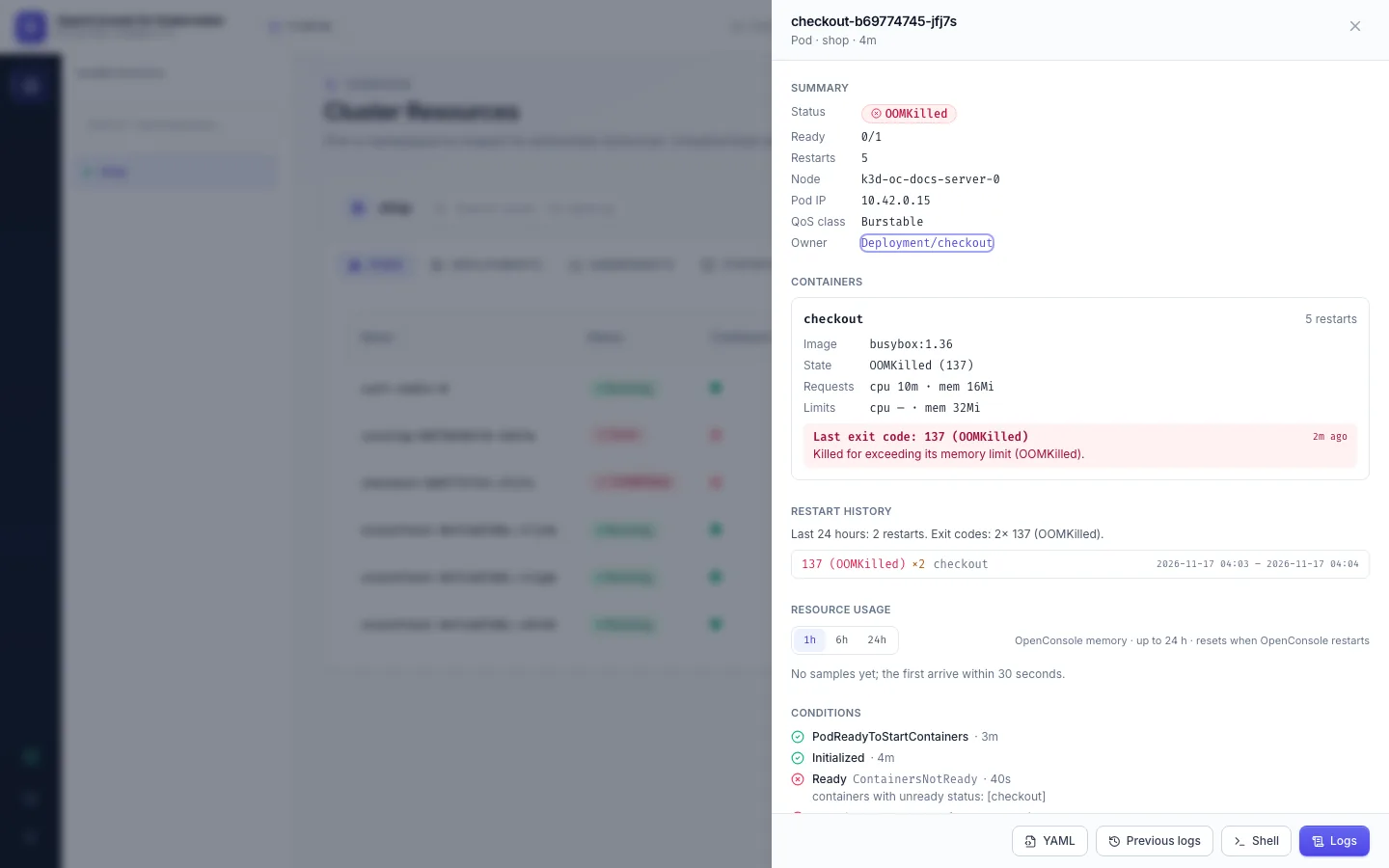
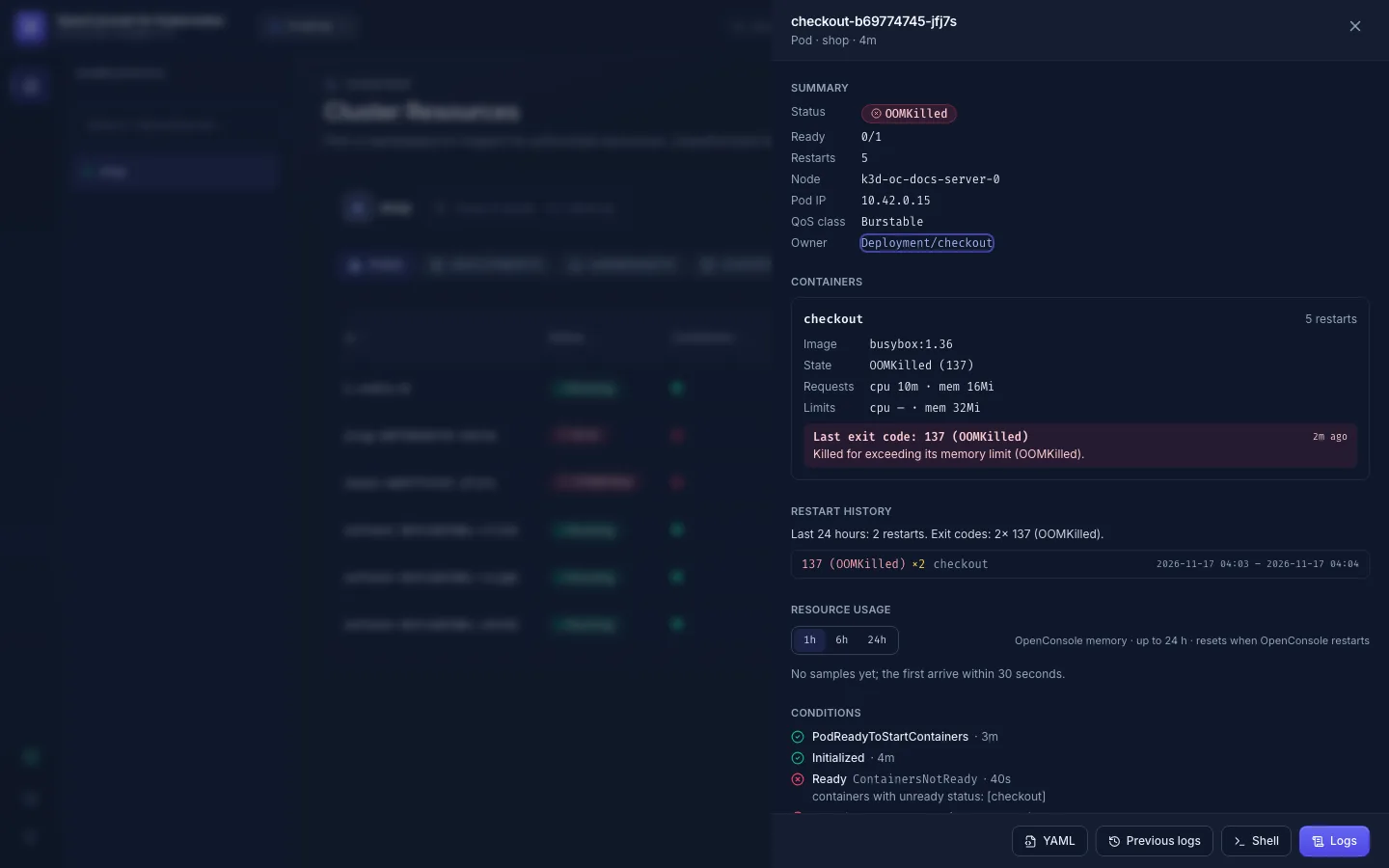
Read the last exit. Next to the restart count is the last exit of a restarted container, e.g.
6 · 137 OOMKilled · 3m. The table below says what the code usually means. -
Open the pod (click its row). The drawer explains the exit code, shows each container's state, requests and limits, the restart history and the events:
-
Read the log of the crash. In the drawer, Previous logs opens the log of the container instance that exited, the one with the error (Logs).
-
Compare with the limits. If the memory line in Resource usage runs into the limit before each restart, the limit is too low or the program leaks.
Exit codes
| Code | Usually means |
|---|---|
137 with OOMKilled | the container went over its memory limit and was killed |
137 otherwise | killed from outside: a failed liveness probe, or a stop that took longer than the grace period |
143 | a normal SIGTERM: rollout, scale-down, node drain |
1 | the application exited with an error; read its previous log |
126 / 127 | the command can't run / doesn't exist in the image |
0 | it finished; for a Deployment that means the program isn't meant to stop |
Kubernetes keeps only the last exit of each container. OpenConsole keeps every exit it sees for 30 days (Restart history), even for pods that no longer exist, so a Deployment shows the restarts of the pods it replaced. A run of identical exits is one row with a count. For pods it meets when it starts, OpenConsole records the last exit they still carry. Exits that happen while OpenConsole itself is down are lost unless the pod still shows them afterwards.
Containers column
One square per container, the pod's containers first, then its init containers:
| Square | Meaning |
|---|---|
| filled green | running and ready (an amber ring: it has restarted) |
| filled amber | running but not ready, or starting |
| filled red | waiting on an error (CrashLoopBackOff, ImagePullBackOff, …) |
| hollow grey | exited with 0 (e.g. a finished init container) |
| hollow red | exited with an error |
Hover a square for the container's name (init containers and sidecars are marked), state, start time and restarts. Sorting the column orders pods by their number of containers (most first); among pods with as many containers, the ones with more problem containers come first. Cards show the same squares next to the status for pods with more than one container. Controlled By is the kind of the pod's direct controller (ReplicaSet, StatefulSet, DaemonSet, Job, or Node for a static pod), its name on hover.
CPU and memory
With metrics-server in the cluster, pods and workloads show usage against the limit (or the request when there is no limit): amber from 70 %, red from 90 %. OpenConsole samples every pod every 30 seconds and keeps in memory the last hour at 30 seconds and up to 24 hours as 5-minute averages (it starts over when OpenConsole restarts). Charts draw on that, or cover up to 7 days when your admin has connected the cluster's Prometheus. Each chart says where its data comes from.
- No CPU / memory, or "No samples yet": the cluster has no metrics-server, or OpenConsole started less than a minute ago.
- No previous log: some container runtimes drop the log of a container that died within a second; Kubernetes
then has nothing to return, the same as
kubectl logs --previous. - Can't open the pod: you need
pods:get; for logspods:logs.